
 Order Query

How to Use Your Points
How to Check Your Points?

Go to the DLsite website and log in to your account.
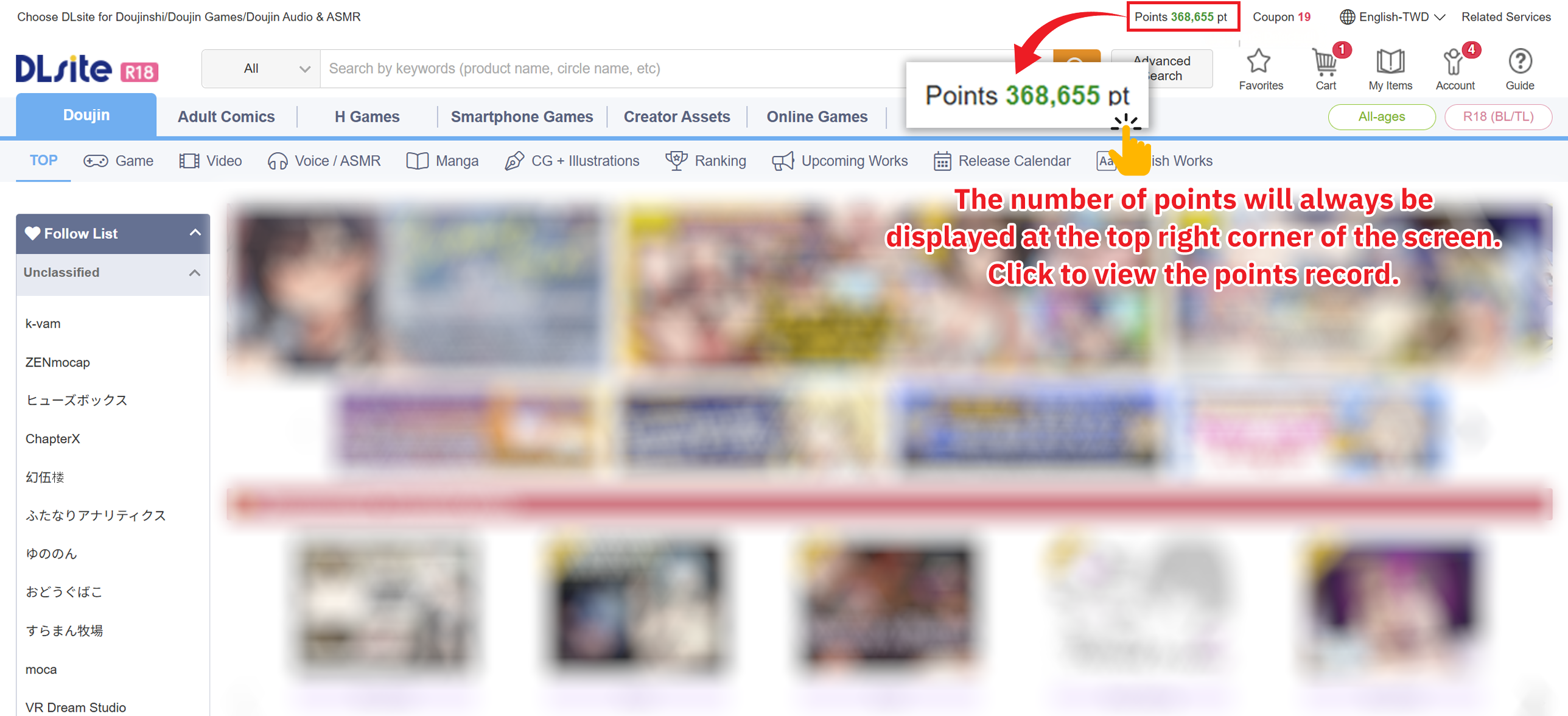
Your available points are displayed in the top right corner of the screen.
Click to view your Point History
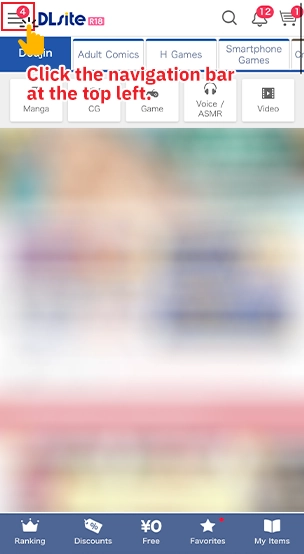
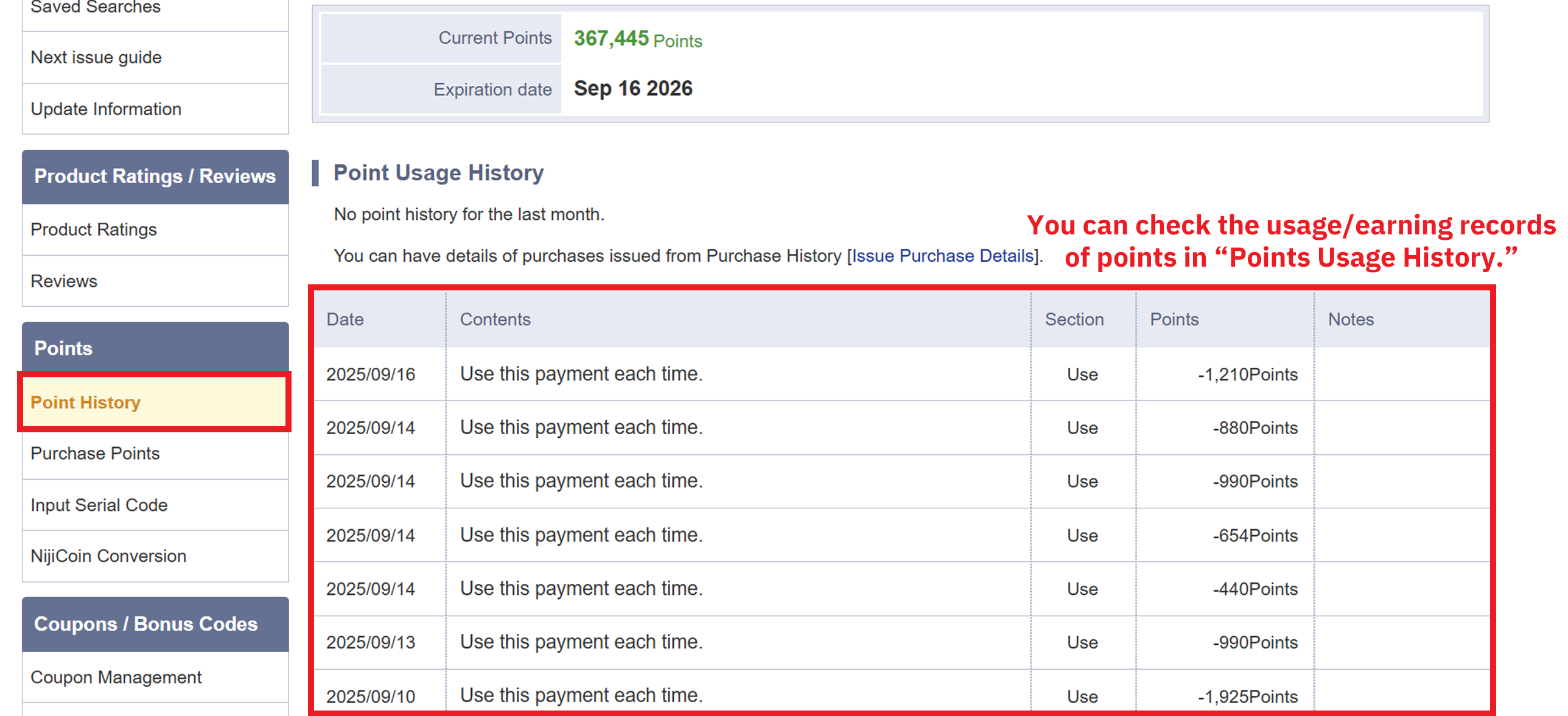
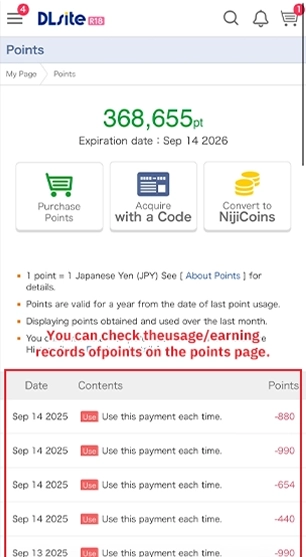
The Point History shows the point usage and purchase records from the past month.
Other point-related information can also be viewed on this page.
※ You can bookmark the Point Usage Guide in the top right corner for future reference!
How to Use Your Points?
On the purchase page, choose "Use Points to Purchase"
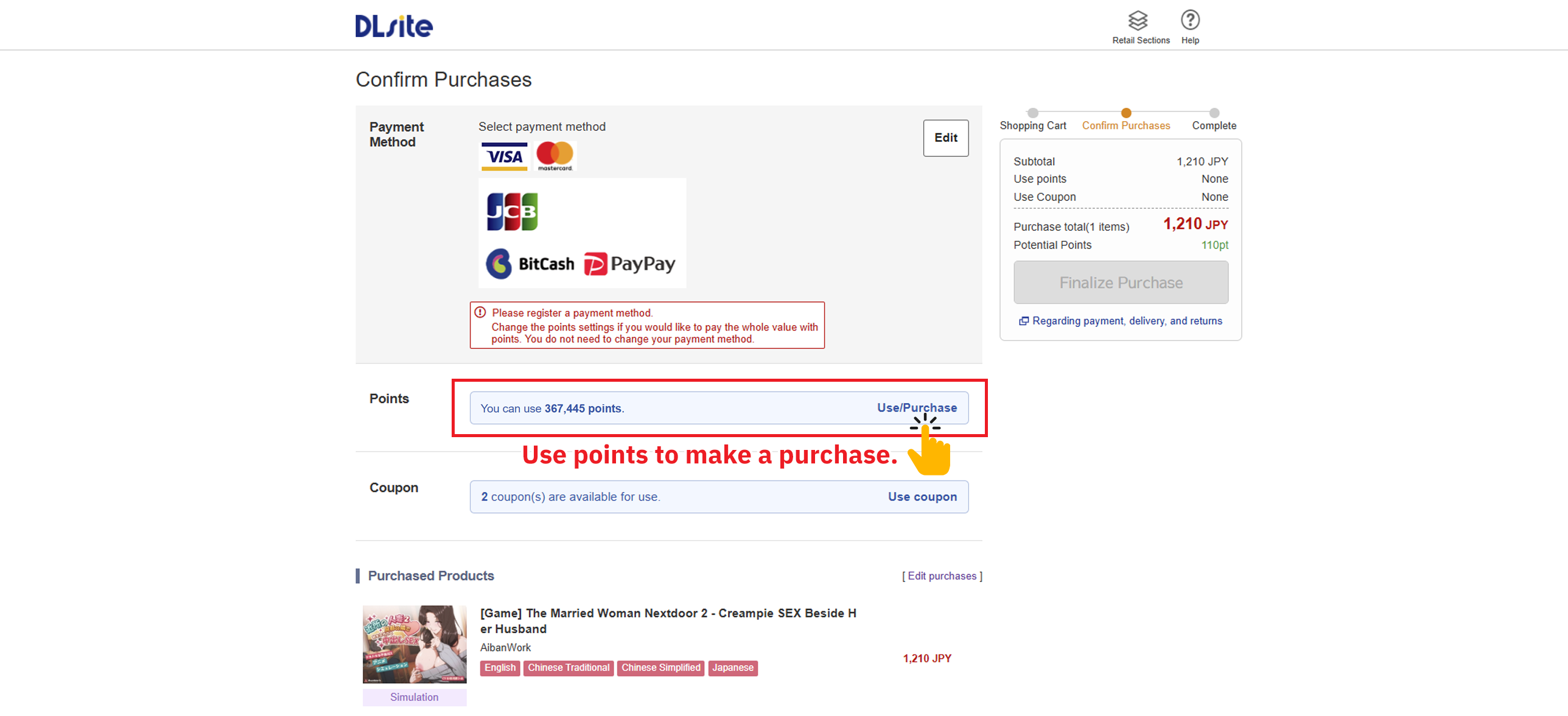
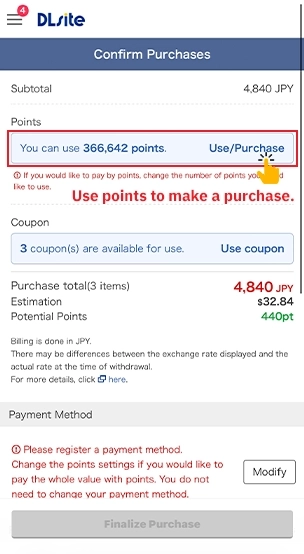
If you choose Use All Points, the full available amount will be deducted.
If you choose Use Partial Points, you can set the amount manually (remaining amount must be paid with another method).
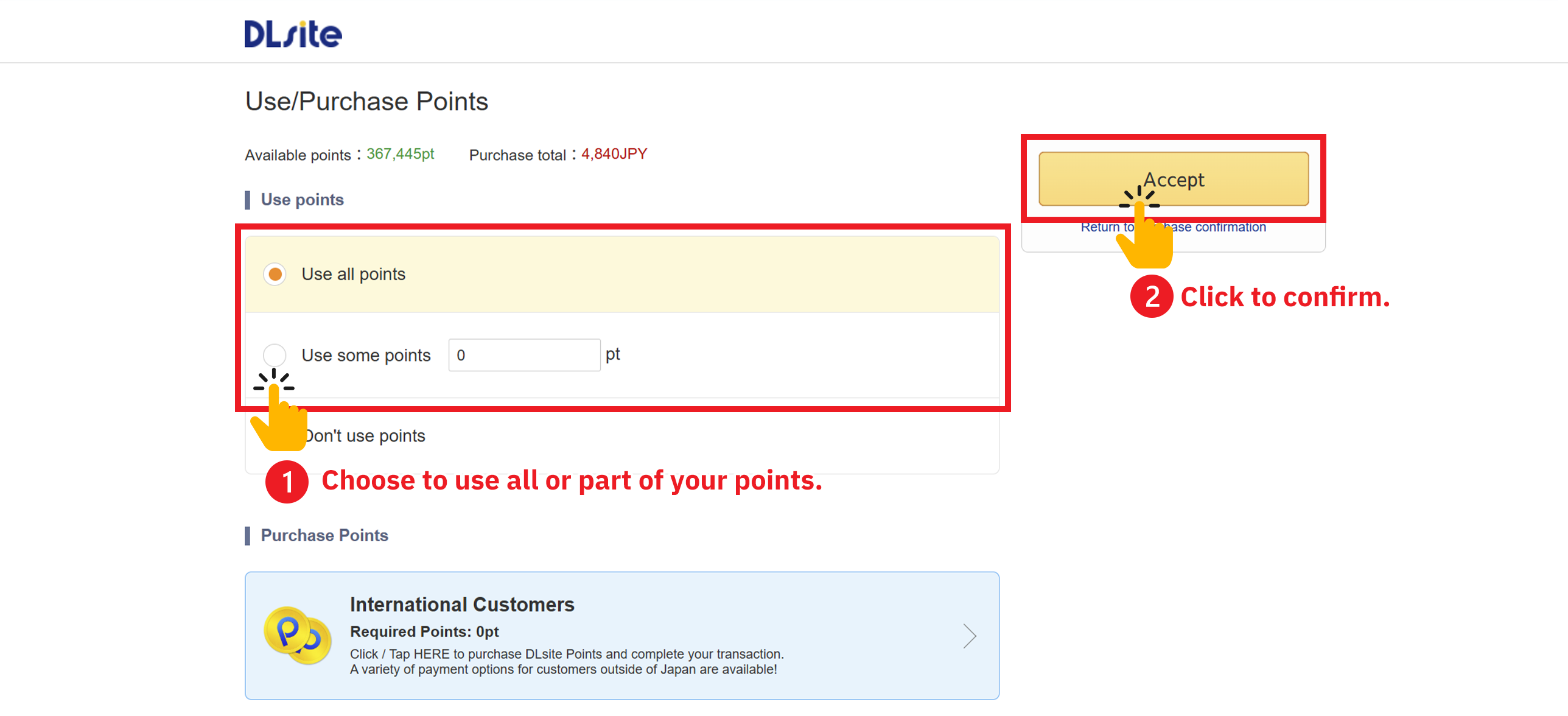
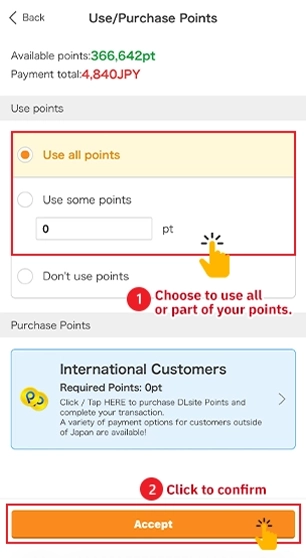
Check the amount of points used.
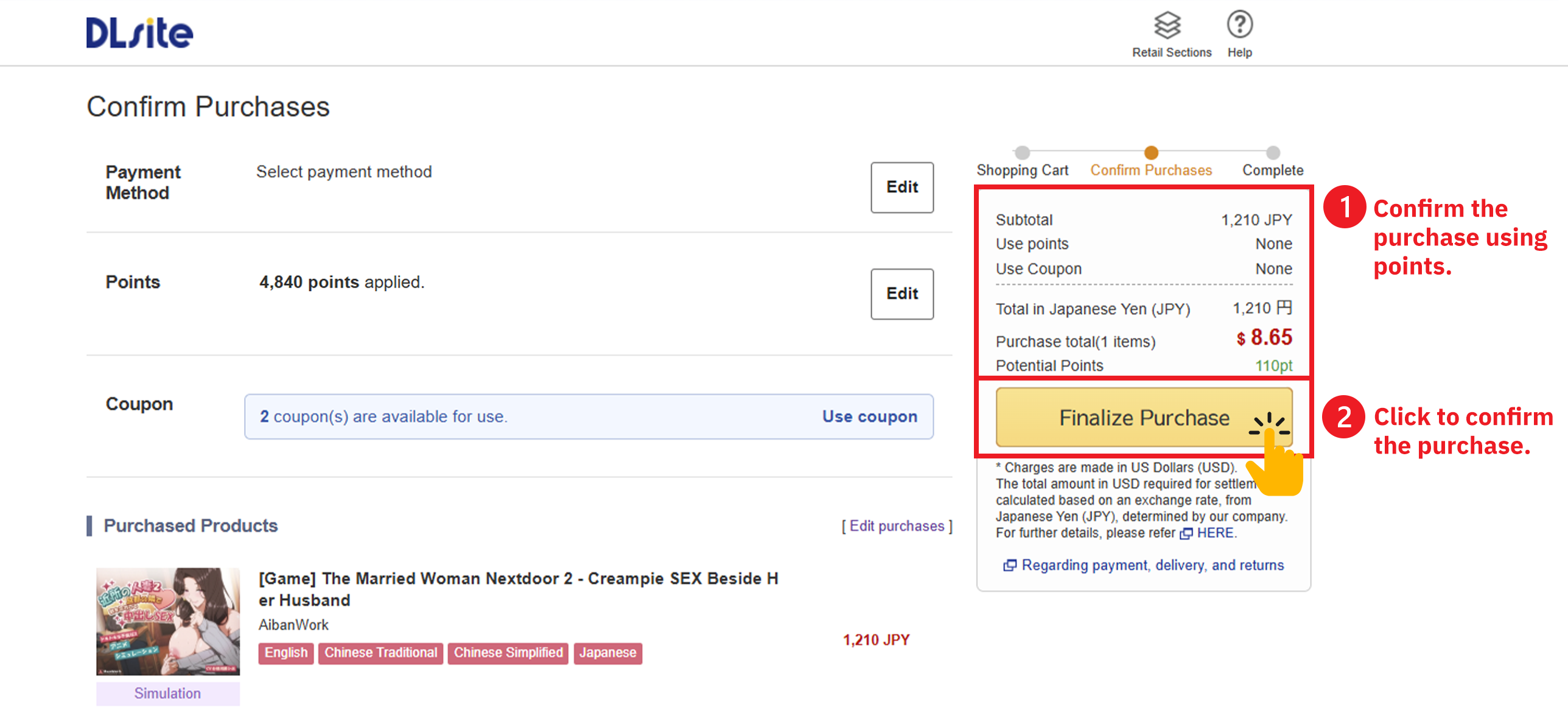
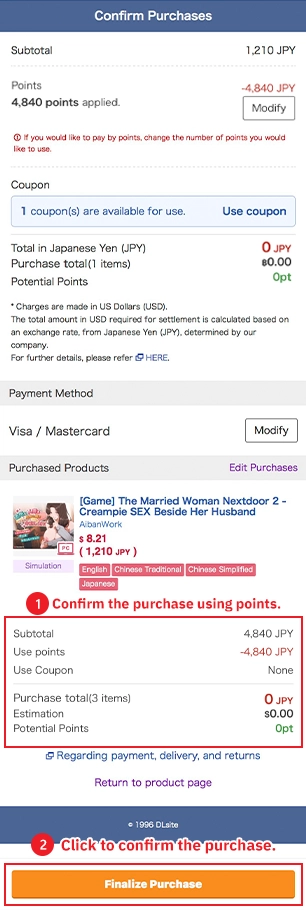
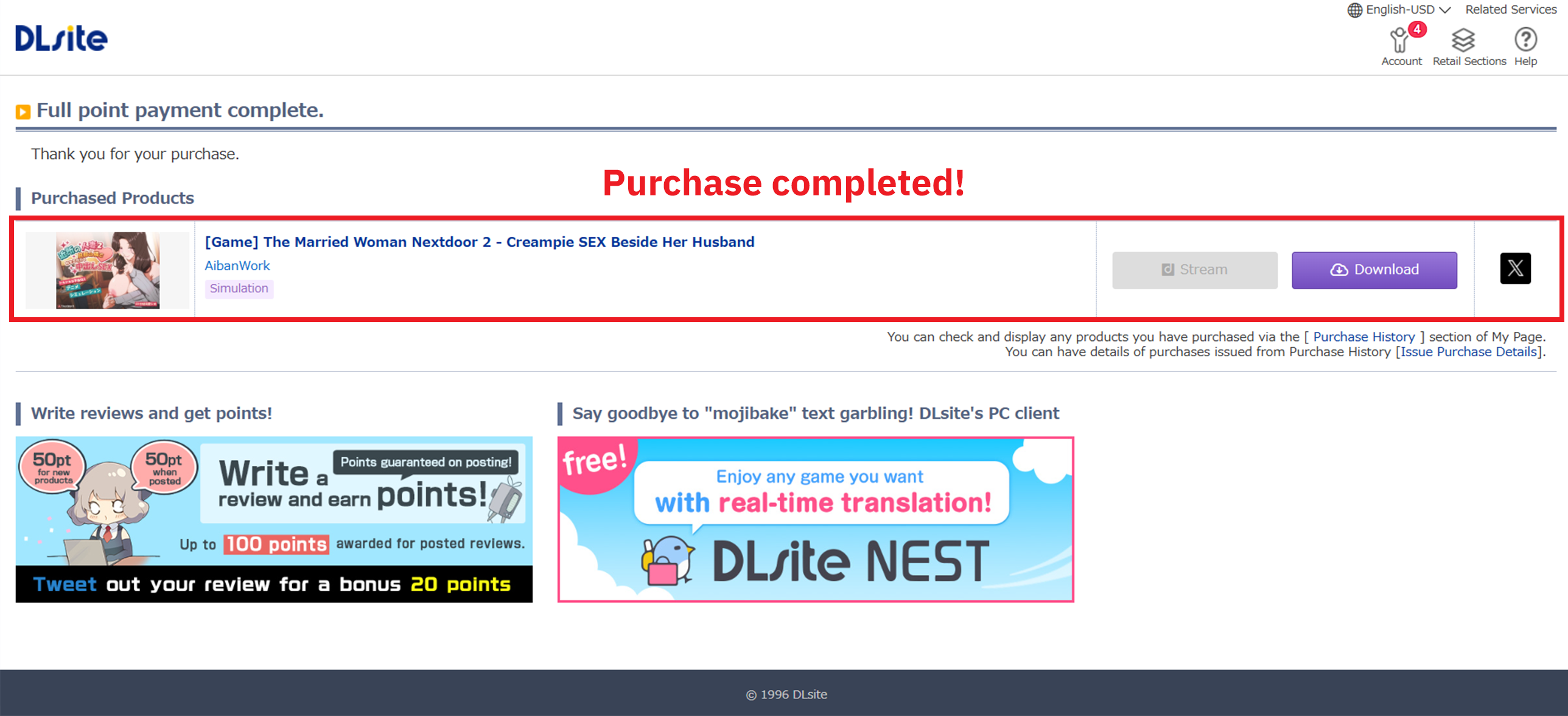
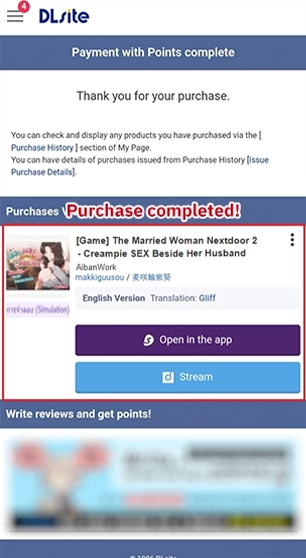
After confirming the purchase, your order will be completed!
You can view your purchases in the browser or download them for offline viewing.
※ You can bookmark the Point Usage Guide in the top right corner for future reference!
- Payment will be settled in TWD. USD price is only for reference.
- DPay does not provide point serial numbers. Points will be automatically recharged to your DLsite account after payment completion. If you have any questions, please contact customer service email: support.global@dlpoint.net
- Due to large fluctuations in foreign exchange rates, the estimated price on the page may not use the latest exchange rate, so the actual payment amount may differ from the current estimated price
- Please carefully confirm that the order information (product) is correct before payment
- After recharge completion, please check your available remaining points on your personal homepage
- This store's products are virtual products and do not support refunds once sold